Blog · Traffic cameras
Why Is a Traffic Camera Not Working? Outages, Maintenance, and Alternatives
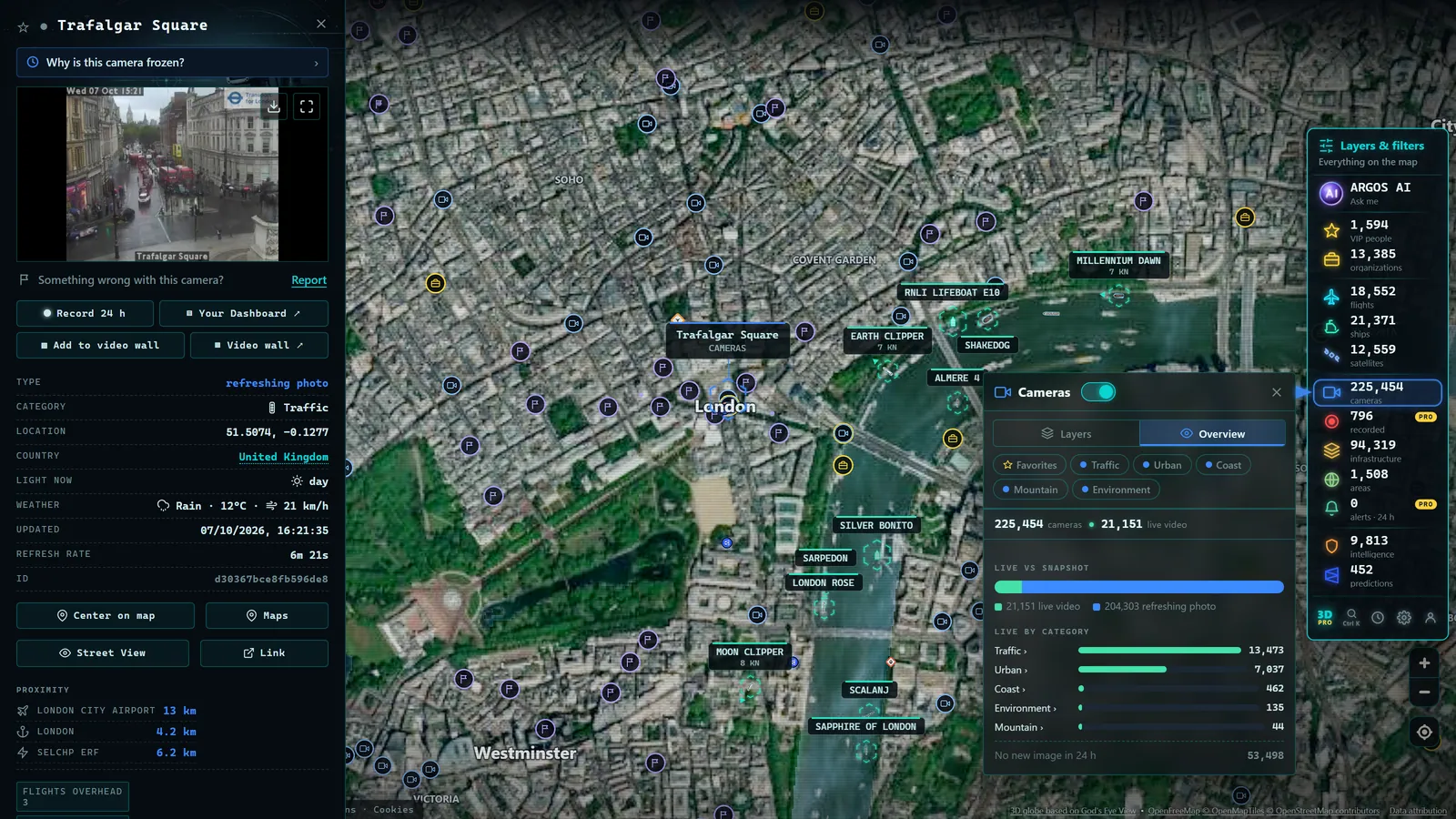
You open the camera you always check before hitting the road and find a black screen, a loading error, or an image that looks like it was taken three hours ago. When a traffic camera stops working, the frustration is twofold: you lose the information you needed, and you have no way of knowing whether the problem is on your end, with the website, or with the camera itself. This guide covers the most common reasons why road webcams go offline, how to tell a frozen image from a genuinely dead camera, and (most importantly) what alternatives you have so you are never left without information.
First: rule out the problem being on your end
Before writing the camera off, three quick checks resolve a surprisingly large share of cases.
Reload the page. It sounds obvious, but many viewers load a frame once and never refresh it automatically. If you have had the tab open for a while, what you are seeing may be a perfectly valid image from some time ago. Force a hard reload (in most browsers, Ctrl+Shift+R or Ctrl+F5 bypasses the cache) and see if anything changes.
Try a different network. Some corporate networks, public Wi-Fi setups, or security configurations block certain domains or content types. If the camera fails to load at the office, switch to your phone's mobile data. If it works on a different connection, the issue is your network, not the camera.
Try a different device or browser. Content-blocking extensions, outdated browsers, or device-level restrictions can all prevent an image from displaying. A second device will tell you in thirty seconds whether the failure is local.
If the image still does not appear after all three checks, look toward the other end: the camera itself, its connection, or the agency that publishes it.
Common technical causes: why cameras go down
A traffic camera is an electronic device installed outdoors (often in hard-to-reach locations) that depends on power and connectivity to function. Any link in that chain can fail.
Connectivity loss
Many road cameras are in remote locations: mountain passes, stretches of highway far from population centres, secondary roads. The connection that carries the image to the control centre may travel via fibre, microwave radio link, or a mobile network, and all of them can drop. When the connection goes down, the camera may keep recording locally, but the public feed stops updating. This is one of the most common reasons a camera shows no image at all: the hardware is working, but its signal is not getting through.
This applies across every major road network, from the US Interstate system monitored by state DOTs, to National Highways in the UK, to Germany's federal motorway network managed by the BASt. The underlying failure mode is the same everywhere.
Power failure
A local outage, a blown fuse on the pole supplying the camera, or a fault in the backup power system leaves the camera completely dark. In these cases you typically see a loading error or a black screen, not a frozen image: there is simply nothing being sent.
Scheduled maintenance
Camera networks require upkeep: lens cleaning, firmware updates, component replacement, reframing. During those interventions the feed may disappear for hours or days. Road agencies do not always announce maintenance windows publicly, so from the outside it is indistinguishable from a fault.
Ageing equipment
A significant portion of public camera infrastructure has been in place for many years. Older units fail more often, offer poorer image quality, and sometimes use protocols that cause compatibility issues with modern browsers. When an agency refreshes its network, some cameras will temporarily vanish from the map while replacements are installed.
Storms and physical damage
High winds, lightning strikes, heavy snowfall, ice forming on a lens, or even a vehicle impact on a camera pole can damage the installation. After a serious storm it is not uncommon for several cameras in the same area to go offline simultaneously, precisely when you need them most. This is especially common on exposed mountain routes: the Rockies, the Alps, the Pyrenees, and high-altitude passes everywhere are all prone to this. If you want more detail on that specific context, the guide on mountain pass and snow cameras covers it in depth.
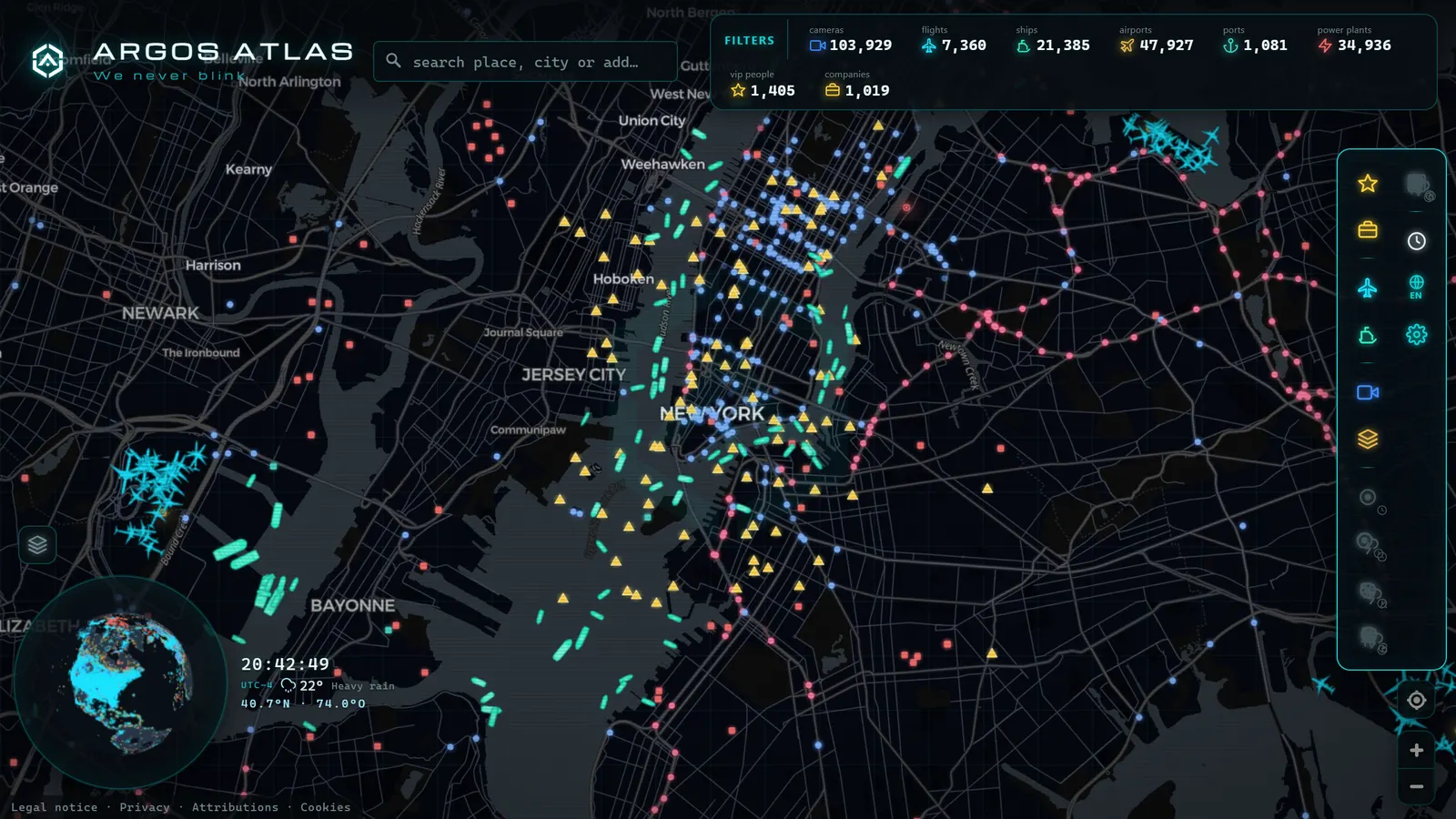
Operational causes: when the agency moves the pieces
Not every failure is a breakdown. Sometimes the camera is working perfectly, but the way the agency publishes its feeds has changed.
Feed rotation and reorganisation. Some agencies periodically restructure their listings: they change image addresses, rename cameras, or rebuild their portals. For anyone who relied on a specific URL, the result looks identical to a camera going offline, the image stops loading, even though the camera is still broadcasting at a new address.
Roadworks that relocate cameras. When a stretch of road is rebuilt or widened, cameras in the area may be dismounted, moved to a different position, or left pointing at a completely changed frame. For months, that camera may not effectively exist.
Deliberate suspension during incidents. Traffic operators can temporarily remove a public feed while managing a serious incident, for operational reasons or out of respect for those involved. This is a legitimate management practice: the camera continues feeding the control room, but its public image is suspended for a time.
A camera that disappears is not always a broken camera. Sometimes it is an operational decision, a physical relocation, or simply a change of address on the agency's website.
From the ARGOS ATLAS channel.
Frozen or offline? Learning to tell the difference
There is an important distinction between a camera showing an old image and a camera showing nothing at all. Knowing which is which saves you from drawing the wrong conclusions.
The key indicator is the frame timestamp: most traffic cameras imprint the date and time directly on the image, or the viewer displays it alongside. If the timestamp is from a few minutes ago, the camera is live and what you see is reasonably current. If it shows a time from half a day ago, you are looking at a frozen image, the source stopped publishing new frames at some point.
Other useful signals:
- The light does not match the time. If it is nine in the evening and the image shows broad daylight, the frame is old, regardless of how cleanly it loads.
- Compare with neighbouring cameras. If nearby cameras on the same road show rain and yours shows clear skies, be suspicious. Weather does not change that dramatically from one kilometre to the next.
- The detail gives it away. Vehicles fixed in the same position across several reloads minutes apart indicate a frozen frame, not a genuine traffic jam.
A camera that is truly offline typically manifests as a loading error, a broken-image icon, or a black screen. A frozen one loads cleanly but lies about the present.
What to do when the camera you need is down
One camera failing does not mean losing all information about a road. There are several ways to reconstruct what is happening there.
Find the nearest camera on the same road. Major highways and main roads almost always have multiple cameras distributed along their length, whether monitored by the US Federal Highway Administration, the UK's National Highways, or equivalent agencies elsewhere. The next camera in the same corridor, even if it is a few kilometres away, gives a highly reliable read of traffic conditions and weather in the area.
Turn to alternative sources for the location. In many places, cameras from different agencies co-exist: national road authorities, regional transport authorities, municipal traffic management systems, tunnel operators. If one source fails, another may still be active a short distance away.
Use contextual layers. A single image is a data point; combined with other information it becomes a diagnosis. Knowing what conditions look like in the area around a downed camera helps you interpret the situation even if you cannot see that exact spot. The article on watching live traffic in real time goes into more detail on combining cameras with contextual information to monitor a full corridor.
The key is not to depend on a single bookmarked camera. Thinking in corridors and areas, rather than isolated points, makes you far more resilient to outages.
How an aggregator handles this: continuous curation
When thousands of public cameras from dozens of official sources are brought together, outages stop being anecdotes and become statistics: at any given moment, a percentage of the world's cameras is offline, under maintenance, or has changed address.
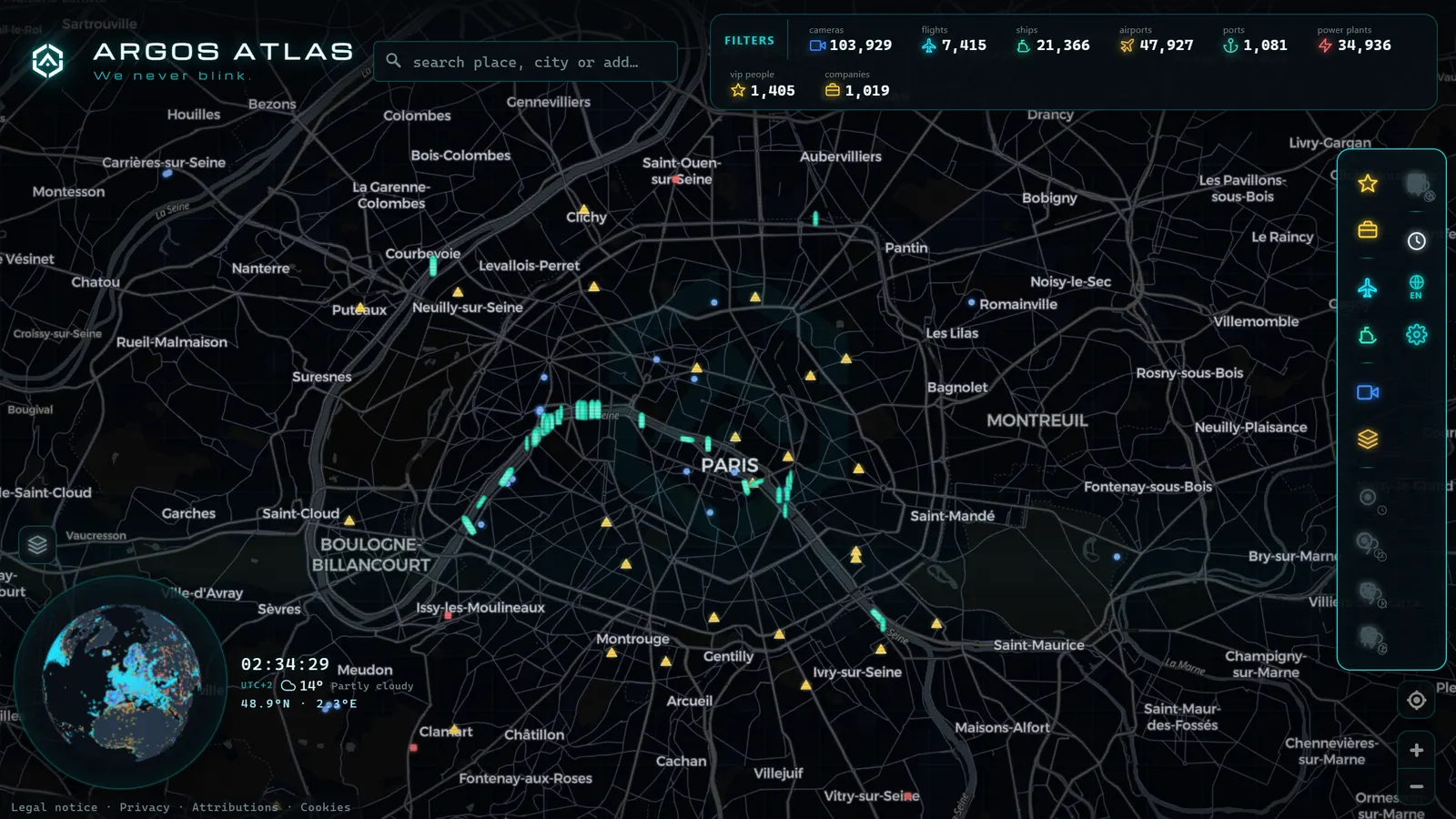
This is why continuous curation is a core part of what a serious aggregator does. At Argos Atlas, detecting dead cameras, verifying that sources are still publishing, and keeping links to the originating agencies current is part of the daily maintenance of the map. A camera that has not broadcast in a long time should not keep appearing as if everything is normal. The map always shows the latest frame published by each official source, with its attribution, so you can judge for yourself whether the image is recent.
The practical benefit is direct: when one camera fails, you have every other camera in the area visible without needing to know which agency publishes each one or dig through multiple separate websites. The alternative is literally one glance away on the same map.
Frequently asked questions
Why does the camera show a black screen or a frozen image?
These are two distinct problems. A black screen or a loading error points to a power failure, a connectivity loss, or a temporary feed suspension, there is nothing to show. A frozen image means the source stopped publishing new frames, but the last one remains accessible. The fastest way to tell them apart is to check the timestamp imprinted on the frame and see whether the lighting in the image matches the current time of day at that location.
Do cameras go offline on purpose?
They can, and it is legitimate. Agencies can temporarily suspend a public feed for maintenance, for roadworks, or during incident management, for operational reasons or out of respect for those involved. It is not the daily norm, but it is a routine part of operating any public camera network. If a camera disappears, do not automatically assume a technical fault.
How often should the image update?
There is no universal standard: the refresh interval depends on each source. Many traffic cameras publish a new frame every few minutes; others update more frequently, and some take considerably longer. What matters is consistency: if you know a camera's normal rhythm and the timestamp has gone far longer than usual without changing, it is most likely down or frozen.
What should I do if the camera I need is offline?
Find the nearest camera on the same road or corridor, that is usually enough to get a reliable read on traffic and weather in the area. Also check whether other agencies publish cameras nearby, since many locations have feeds from multiple sources. A map that aggregates thousands of geolocated cameras turns that search, which could take a long time across separate websites, into a matter of seconds.
Conclusion
A traffic camera going offline is frustrating, but it is almost never a mystery: behind it is usually a dropped connection, a power cut, a maintenance window, a storm, or a simple address change on the agency's site. Your best defence is methodical: rule out your own equipment first, learn to read the timestamp to distinguish frozen from truly offline, and above all, do not depend on a single viewpoint. Major roads have many cameras, and there is almost always an alternative nearby broadcasting normally. If you want them all in one place (geolocated and with their source cited) the most convenient approach is to open the map and see which live cameras are around the location you care about right now.
Frequently asked questions
Why does the camera show a black screen or a frozen image?
A black screen usually points to a power failure, a connectivity loss, or a temporary feed suspension, there is simply nothing to display. A frozen image means the source stopped publishing new frames, but the last one is still visible. Check the frame timestamp to tell the two apart.
Do cameras go offline on purpose?
They can. Road agencies may temporarily pull a public feed for scheduled maintenance, roadworks, or during incident management. It is not the norm, but it is a routine part of operating any public camera network.
How often should the image update?
It depends on the source. Many traffic cameras publish a new frame every few minutes; others refresh more or less frequently. If the timestamp has not changed in hours, the camera is most likely down or frozen.
What should I do if the camera I need is offline?
Look for the nearest camera on the same road or corridor, it will usually give a reliable picture of overall conditions. A map aggregating thousands of cameras makes finding alternatives a matter of seconds.
- Live Traffic Mexico City: 15,000+ CDMX Cameras In Real Time
- Live Traffic Cameras in Buenos Aires: Urban Autopistas, Metrobus, and the North-South Corridor
- Live Traffic Cameras in Bogota, Colombia: IDU, Movilidad, TransMilenio and Pico y Placa
- Santiago Traffic Cameras: Local Traffic Updates Live from Chile
- Live Traffic Lima, Peru: Watch Real-Time Cameras Now
- Traffic Cameras in Ecuador: Quito, Guayaquil and the Troncal de la Sierra Highway