Blog · Prediction markets
Crypto Wallets for Polymarket: What You Need to Know

To trade on Polymarket you need a wallet: it is where your USDC lives and what signs every trade you make. The word scares off plenty of people arriving from outside the crypto world, which is a shame, because the concept is simpler than it looks, and there are really only two decisions that matter: which type of wallet to use, and which security habits to adopt.
This guide covers the essentials without the hype: what a wallet actually is, the difference between embedded and self-custody wallets, what that famous seed phrase is that you must never show anyone, and the security basics to lock down before moving your first digital dollar.
What a wallet actually is (hint: it holds no coins)
Despite the name, a wallet does not "contain" your funds. Your USDC lives on the blockchain, in a public ledger; the wallet holds the private keys that prove an address is yours and authorize movements from it. It is less a purse and more a keyring: whoever holds the keys controls the funds.
Everything else follows from that idea. The central question of this article is not technical, it is about responsibility: who keeps your keys, you or a third party? Each answer defines a family of wallets, with its own advantages and obligations.
Embedded wallets: the easy front door
When you create a Polymarket account with your email, the platform automatically generates an embedded wallet: a wallet built into your account, with the technical key management handled by the platform's infrastructure. You install nothing, write down no seed phrase, and log in the way you log in anywhere else.
The advantages are obvious: zero friction, no seed phrase to lose because you never saw one, and an experience identical to any modern website. It is the reason someone with no crypto background can get started in minutes, something we expand on in Polymarket without knowing crypto.
The trade-off deserves equal honesty: you depend on a third party to reach your funds. If you lose access to your email, or the provider has a problem, your recovery path runs through processes you do not control. For small amounts and for learning, that is a reasonable exchange, you just want to make it knowingly.

Self-custody wallets: you hold the keys
The alternative is self-custody: a wallet you install yourself (a browser extension or mobile app) whose private keys exist only in your possession. Among the most popular are MetaMask and Coinbase Wallet, to name two widely used ones, mentioned purely descriptively: we are not recommending any particular product, and you should compare current options before choosing.
With self-custody, nobody can freeze, lose, or "manage" your funds, not the platform, not a provider, not us. That is its enormous appeal. The price is just as clear: all the responsibility is yours. There is no "forgot my password" button, no support desk that can claw back a transfer to the wrong address, no safety net. Self-custody is a right you exercise with discipline.
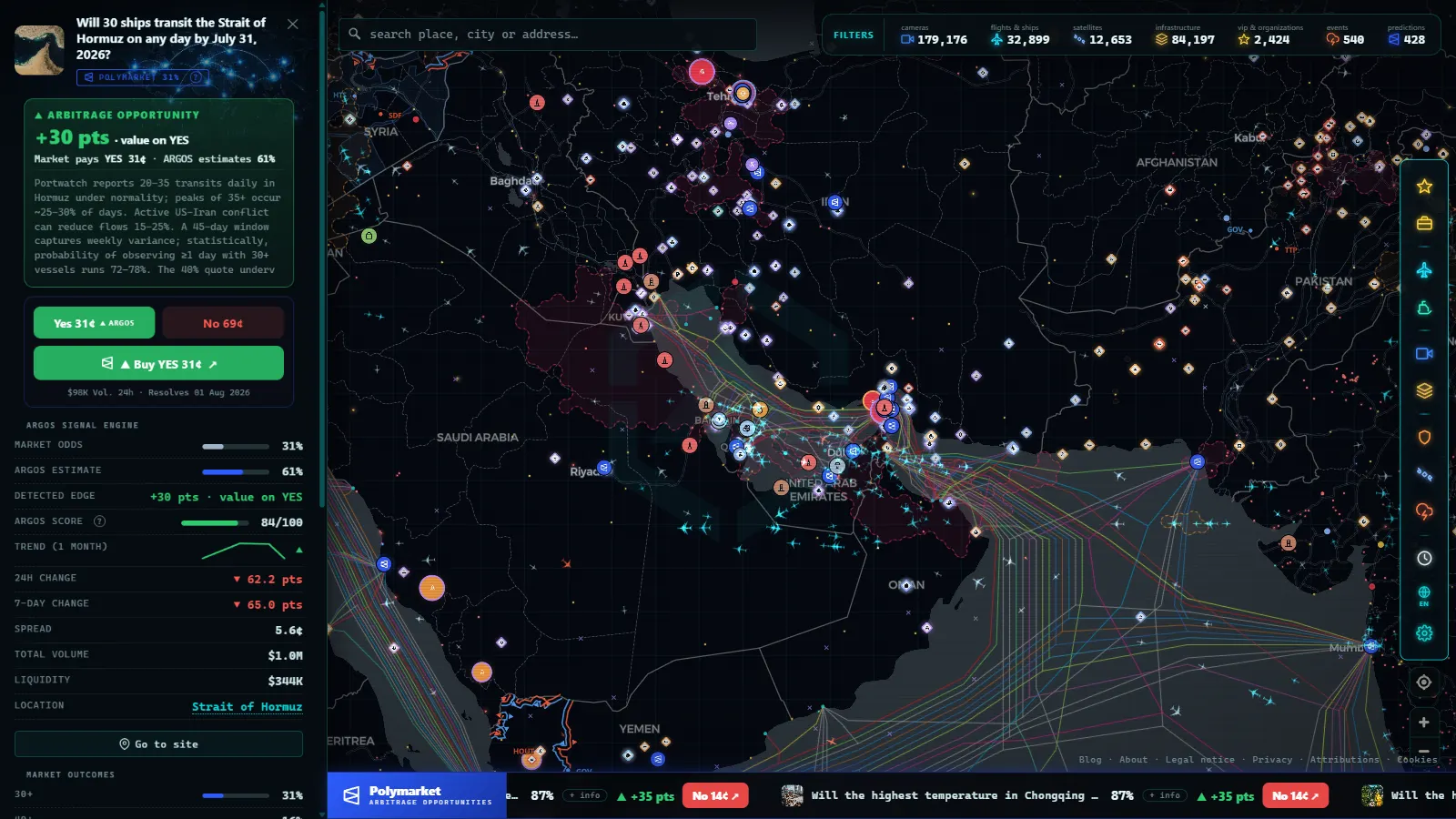
Recorded straight off the map, no sound.
The seed phrase: the rule with no exceptions
When you create a self-custody wallet you receive a seed phrase: a list of 12 or 24 words that is, quite literally, the master copy of your keys. Anyone holding those words holds your funds, from anywhere in the world, without asking permission. Hence the rules, which are few and absolute:
- Write it on paper (or another physical medium) and store it somewhere safe. Consider a second copy in a different location.
- Never photograph it, type it into a file, paste it into phone notes, or upload it to the cloud. Anything digital is potentially reachable by others.
- No legitimate party will ever ask for it. Not "technical support", not the platform, not an agent contacting you to "help recover your funds". Whoever asks for your seed is robbing you, no exceptions.
- Never enter it on any website. Seed phrases restore wallets inside wallet apps; they do not "verify accounts" or "claim rewards".
Internalize this one section and you are already ahead of most crypto fraud victims, because nearly every theft from individuals starts with a seed phrase handed over voluntarily.
Security basics before you move your first USDC
Once you have picked a wallet, a handful of habits covers the vast majority of real-world risk:
- Always verify the URL. Phishing through cloned websites is the most common attack. Bookmark the real site and enter through the bookmark.
- Send a small test transfer first. Before moving a serious amount, send a tiny one and confirm it arrives. The test costs next to nothing; an address mistake is irreversible.
- Protect the linked email. For embedded and self-custody setups alike, your email is a door: unique password and two-factor authentication.
- Read what you sign. When your wallet asks you to approve something, check what you are authorizing instead of clicking through on autopilot.
- Distrust urgency. Any message pressuring you to act right now to avoid losing funds or an opportunity is almost certainly a fraud attempt.
Which one is right for you? An honest answer
There is no single answer, but there is a sensible pattern: start simple, scale security with your balance. For exploring and trading amounts you can afford to lose, the embedded wallet is perfectly reasonable and eliminates half the possible mistakes. If over time you accumulate a balance that would hurt to lose, consider self-custody, or at least withdraw profits regularly, as we explain in how to withdraw money from Polymarket.
And while you decide, remember the wallet is just the vehicle: judgment is built by studying the markets themselves. On the geolocated predictions map on Argos Atlas you can see every Polymarket market pinned to the exact location of the event it refers to, with the ARGOS signal comparing the market's odds against an independent estimate. Learning to read that will earn you more than any wallet configuration ever will.
This content is informational and does not constitute financial advice or an investment recommendation.
Frequently asked questions
Do I need to buy a wallet to use Polymarket?
No. Software wallets are free, and if you sign up with an email address the platform creates an embedded one for you with nothing to install. Hardware wallets exist and add security, but they are optional and mainly aimed at safeguarding larger amounts.
What happens if I lose my seed phrase?
With a self-custody wallet, if you lose both the seed and access to the device, no support team can recover it: the funds become permanently inaccessible. That is why the seed goes on paper, stored somewhere safe, never in a photo or a cloud file.
Is a self-custody wallet safer than an embedded one?
It removes the risk of depending on a third party, but it transfers all responsibility to you: seed phrase, phishing, approvals. For a careful person, self-custody is more robust; for a careless one, it can be more dangerous. Real security depends more on your habits than on the tool.
Can I switch wallet types later?
Yes, and it is a common path: start with the embedded wallet for convenience and move funds to a self-custody wallet as your balance or your experience grows. Transferring USDC between wallets on the same network is a routine operation.
- Best Prediction Markets in the US: 2026 Guide
- Will the Fed Hold Rates in July 2026? Prediction Markets Weigh In
- Will Gavin Newsom Win the 2028 Democratic Presidential Nomination?
- Best Prediction Markets for March Madness: A Strategic Guide
- What Is Polymarket and How Does It Work: The Complete Guide
- How to Read Prediction Market Odds (Implied Probability)